Can You Monetize AI Videos on YouTube in 2026?
AI videos can earn on YouTube. See what YouTube pays for, what gets channels demonetized, and how to build an AI channel that keeps earning.

Think of AI as a power tool.
A carpenter with a power drill builds better furniture, faster. Nobody calls the table fake because a machine drove the screws. A factory that stamps out the same chair ten thousand times is a different business, even if it uses the same drill.
YouTube draws its line in the same place. It doesn't care whether you used AI to write, voice, or edit a video. It cares whether you're running a workshop or an assembly line. Workshop channels get paid. Assembly-line channels get paid for a while, then get removed.
TubeAvatar was built for the workshop side. You set up a presenter once, from a photo of yourself or a character you describe, give it a voice, paste a researched script, and get a long-form educational video with your presenter on camera, cut together with clips and pictures that match what's being said.
Most articles on this question stop at "it depends on the value you add." That's true and not very useful. So we checked. Using the TubeLab MCP server in Claude or ChatGPT, we looked at new channels carrying YouTube's AI label to see which ones get paid and which ones lose it.
This guide covers what YouTube's rules actually say, which kinds of AI videos keep earning, and how to build an AI channel that stays monetized through the 2027 changes.
Yes, you can monetize AI videos on YouTube. No rule bans AI-made content from the Partner Program. YouTube refuses to pay for content that's mass-produced, repetitive, or reused without adding value, so AI videos that are researched, varied, and useful can earn like any other channel.
YouTube's monetization rules target how content is made at scale, not which tools made it. Its own policy page says using automated tools is fine as long as the final video shows your creative vision. Its examples of acceptable AI use include editing a script or generating a background visual.
What YouTube won't pay for:
YouTube's CEO said the same thing in his January 2026 letter to creators. He described AI as "a tool for expression, not a replacement," and said YouTube was building on its systems to cut back on low-quality, repetitive content.
In an August 2026 Creator Insider interview, reported by TechNews, YouTube's team named three kinds of AI content it won't pay for: obviously mass-produced videos, disturbing content such as footage of animals in distress, and sensitive content such as AI personas giving financial advice.
So the real question is whether your AI videos look like a workshop or an assembly line.
Three policies decide whether AI videos get monetized. Each one targets something different.
Policy | What it targets | What happens |
|---|---|---|
Inauthentic content | Mass-produced, templated, or repetitive videos | The whole channel can lose monetization |
Reused content | Other people's material with nothing meaningful added | The whole channel can lose monetization |
Altered or synthetic content disclosure | Realistic AI that isn't labeled | A label gets added, and repeat offenders face penalties |
On July 15, 2025, YouTube renamed its "repetitious content" policy to "inauthentic content." The rules didn't change much. The name changed to make the target clearer: content that's mass-produced or repetitive.
YouTube's examples of what doesn't qualify include "AI-generated content made with generic or unoriginal templates giving the impression of mass production." They also include image slideshows or scrolling text with little story, commentary, or educational value, and videos where characters land in the same situation with the same outcome every time.
What does qualify:
Read those together and the pattern is clear. A recognizable format is fine. A format where nothing changes except the title is the problem.
Reused content covers channels that take material from YouTube or elsewhere without adding meaningful value. Reading out text you didn't write, compiling clips with no commentary, and re-uploading songs with small edits all fall here.
This matters for AI channels because a lot of AI content is a rewrite of something else. An AI script that paraphrases one Wikipedia page, read by an AI voice over stock footage, adds very little. The policy applies even when the original creator gave permission.
YouTube asks creators to disclose realistic content made or changed with AI when viewers could mistake it for real. Examples include making a real person seem to say something they didn't, altering footage of a real event, or generating a realistic scene that never happened.
You don't need to disclose:
The detail most creators miss: YouTube says disclosure alone won't limit your audience or affect your eligibility to earn. Creators who consistently fail to disclose are the ones who face penalties, which can include suspension from the Partner Program.
When in doubt, tick the box. The label costs nothing. Getting caught hiding realistic AI can cost the channel.
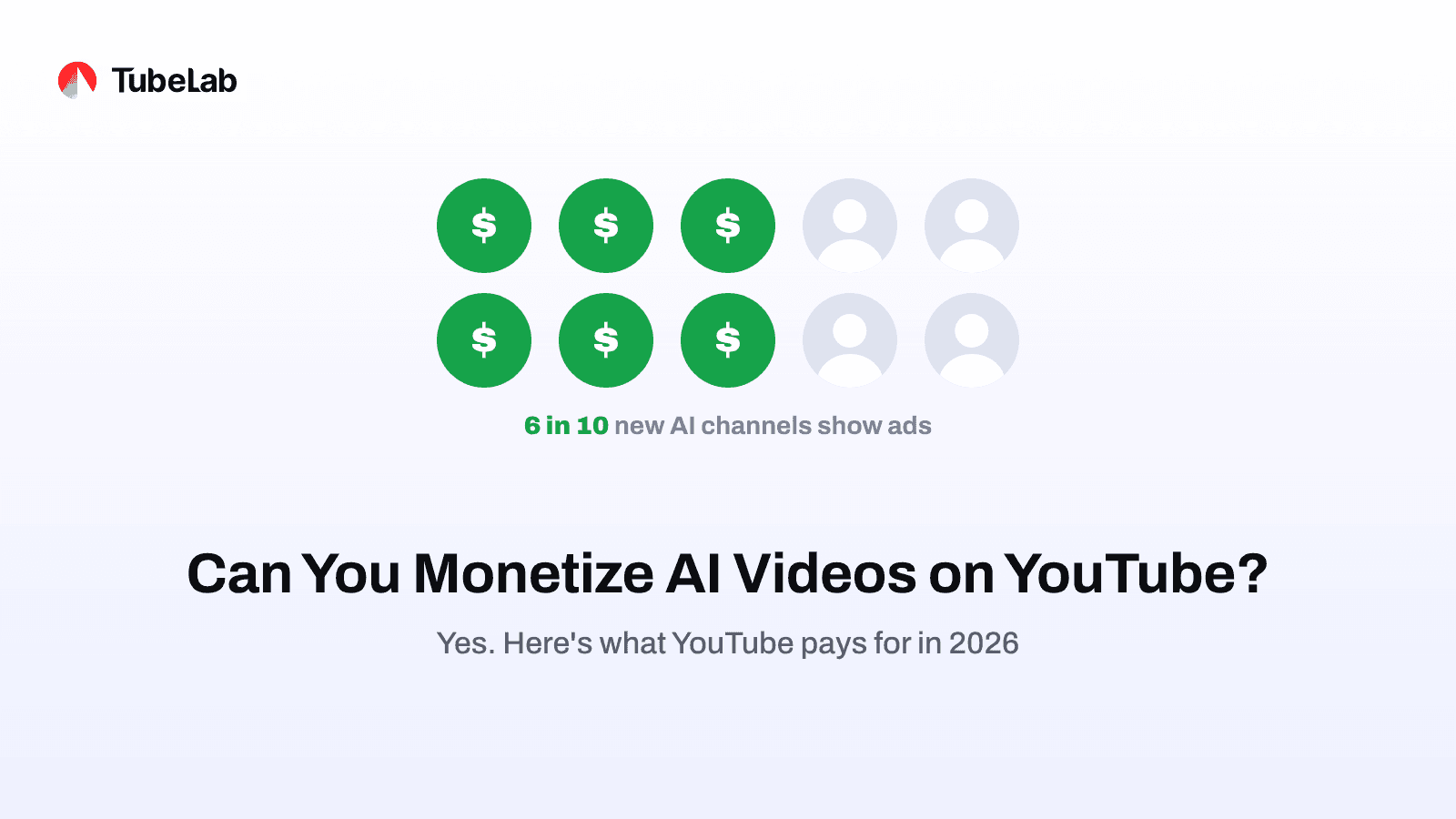
Yes, and more often than people think. About six in ten new channels carrying YouTube's AI label show ads. AI channels getting paid is normal, not rare.
They do lose monetization more often than other channels, and the reason is obvious once you scroll through a few hundred of them: most look the same, cheap and templated and uploaded in bulk. Those get cut.
That's good news if you're starting now. When most of your competition is an assembly line, a channel that researches and teaches stands out fast.
Put the policy and the data together and the split is easy to see.
Usually stays monetized | Usually gets demonetized |
|---|---|
Researched explainers and how-tos | AI slideshows with a voice reading a summary |
A consistent presenter with a real point of view | Faceless channels uploading the same template daily |
Original scripts with sources and examples | Scripts paraphrased from one article or video |
Long videos that teach something | Endless short stories with the same plot |
Realistic AI that's disclosed | Fake "real" footage of events that never happened |
A consistent AI host teaching a real topic | AI personas giving financial or medical advice |
A product, course, or service behind the channel | Channels that only exist to farm views |
The left column has one thing in common. A person made real decisions about what to say and why. AI did the heavy lifting on production.
The right column has the opposite. The decisions were made once, in a template, and the machine repeats them.
If you're building an AI channel, educational content gives you the most room.
YouTube's policy keeps pointing at the same test: does the video have a story, commentary, or educational value? Teaching passes that test by default, as long as the teaching is real. A video that explains how to winterize a house, why a historical battle turned, or how a tax rule works has value no matter who presents it.
Educational content has three other advantages:
The catch is research. An AI explainer that gets facts wrong is worse than no video. Your script has to be checked, sourced, and specific. That's where most cheap AI channels fall down, and where yours can win.
This is the format TubeAvatar is made for: a presenter teaching to camera, with pictures and clips that show what's being explained. When the script mentions your own product, a card with its picture, link, and QR code appears on screen at that moment, so the video can sell a guide or course without you adding a single word.
Here's the process that keeps an AI channel on the workshop side of the line.
The script decides most of whether a video adds value. A thin script read by a perfect voice is still thin.
Good AI-assisted scripts have:
TubeLab's Scriptwriter is built for this. You give it an idea, and it researches what's working in your niche, checks facts against live sources, proposes a structure for you to approve, and writes in your voice. It's built to help you make a better video, not more of them.
Faceless AI slideshows are the format YouTube's policy describes most directly. A presenter changes that. Viewers connect with a face, and a consistent host gives the channel an identity a template never has.
TubeAvatar, TubeLab's desktop app, turns a script into a long-form video presented by an AI avatar. The avatar can be you, made from a photo and a clone of your voice, or a brand-new character you describe. It cuts the video together with clips and pictures that match what you're saying, and you review the storyboard before anything is final. It's built for educational videos: explainers, how-tos, guides, and lessons.
How it works:
Set up your presenter once. Use a photo of yourself or describe a new character, then pick a voice or clone your own from a short recording. You can also upload a full voiceover you recorded yourself.
Paste your script and set a budget. The budget is a ceiling, and the editor works to stay under it.
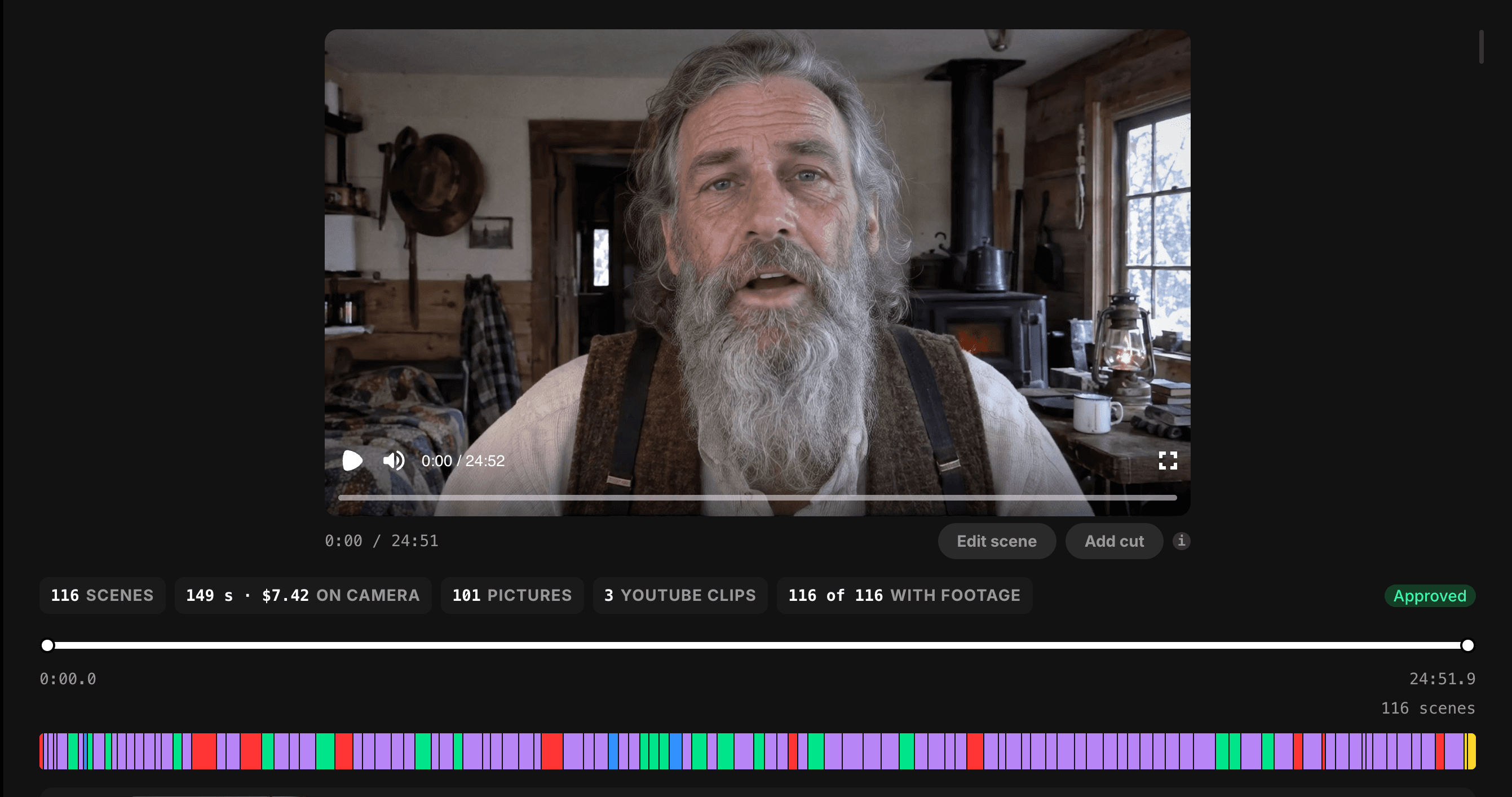
Review the storyboard. Every scene shows whether it uses you on camera, a picture, or a clip. Fix or swap anything that's wrong.
Render and upload. You get the finished file, with no length limit, and upload it yourself with your own title and thumbnail.
The app is free. A free TubeLab account makes 3 videos a week, Starter makes 7, and Pro is unlimited. You connect your own AI services and pay them directly, with no markup on top. Costs start at about $0.20 a minute when your own Claude or ChatGPT plan and HeyGen plan do the work.
Whichever presenter you choose, treat it as a host, not a fake person. If it's you, YouTube's disclosure page says cloning your own voice for voiceovers doesn't need a label, though it doesn't directly address an AI version of your face. If it's an invented character, a realistic person who doesn't exist is the kind of content YouTube asks you to disclose. Either way, ticking the disclosure box is the safe choice, and it costs you nothing. Just don't present an AI character as a real person with a real life story or real credentials.
When you upload, YouTube Studio asks whether the video contains realistic altered or synthetic content. Answer honestly.
A simple rule: if a viewer could reasonably think something on screen is real when it isn't, disclose. A realistic AI presenter, generated footage of a real place, or a recreated event all count.
TubeAvatar doesn't upload for you, so this step stays in your hands. Tick the box in Studio when you publish.
The fastest way to look like an assembly line is to upload videos that differ only in their title. Vary what matters:
TubeAvatar helps with the visual side. It reads each script and finds or makes footage for that topic, and it uses your own photos and clips before anything else, so two videos never share the same pictures.
A consistent look and format is fine. YouTube explicitly allows it. Sameness in substance is what gets flagged. To find formats that are working right now, check TubeLab's Trending Formats.
YouTube's team called out AI personas giving financial opinions as content it won't pay for. Health advice, news, elections, and finance all carry extra risk with AI presenters, and some get a more prominent AI label on the player.
If your niche is sensitive, keep a real person accountable for the claims, cite sources on screen, and avoid presenting AI characters as experts.
Some niches tolerate AI production. Others are being swept.
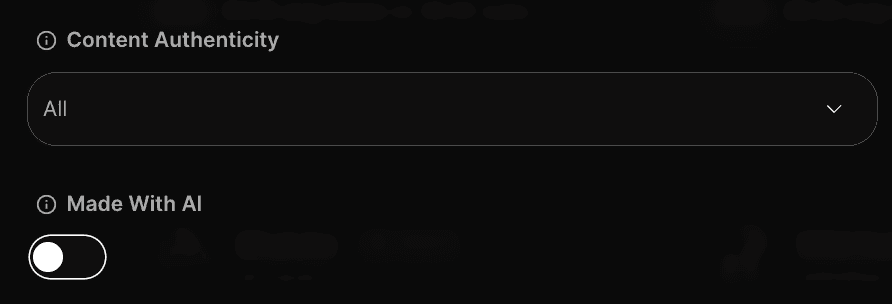
In TubeLab's Niche Finder, you can filter channels by YouTube's AI label, by whether they show ads, and by content quality. Search your niche with the AI label on and ads detected, and you'll see whether AI channels are getting paid there right now. Then check the Monetization Tracker, included with Pro, to see whether channels in that niche are losing monetization in waves.
The Terminations Tracker shows which channels in the niche were shut down, and why.
Two changes from YouTube's August 2026 announcement land hardest on AI channels.
The entry bar doubles. From February 1, 2027, new channels need 8,000 qualified watch hours in a year, or 20 million qualified Shorts views in 90 days, plus 1,000 subscribers. Short, low-retention AI videos will take much longer to qualify. Long educational videos that people actually watch get there fastest.
Shorts earnings get a monthly gate. Channels in the Partner Program only earn from Shorts in months where they have 10 million qualified Shorts views over the past 90 days. Mass-produced AI Shorts channels that relied on volume will see their Shorts income pause unless they stay above that line.
Both changes push AI creators in the same direction: fewer, longer, better videos. That favors long-form presenter videos, the format TubeAvatar makes, with no length limit, so each video can build watch hours far faster than Shorts.
You can do a rough check by hand.
Search your topic on YouTube. Filter by upload date to see recent videos.
Open the channels behind them. Look for the "Altered or synthetic content" note in video descriptions.
Look for signs of monetization. Mid-roll ads and a Join button suggest the channel is in the Partner Program.
Check the upload pattern. Dozens of near-identical videos a week is a warning sign.
Repeat across a few related topics.
The free TubeLab Chrome Extension shows whether any channel you visit is monetized and how it makes money, so the guesswork drops out of step three.
Plenty of creators think so, and the argument has real points:
All true. Building a channel that only works while YouTube looks the other way is a bad bet.
The data still points the other way on the big question. Most AI-labeled channels that started this year are monetized, and most that got monetized kept it. YouTube's own tools are pushing AI into the workflow, with over a million channels using its AI creation tools daily in December 2025, according to Mohan's letter. The platform isn't removing AI. It's removing assembly lines.
The creators who will struggle are the ones using AI to make more videos. The ones who will do fine are using it to make better ones.
Your situation | What to do |
|---|---|
Planning an AI channel | Pick an educational niche where AI channels keep monetization. Start with researched scripts and a consistent presenter |
Running a faceless AI slideshow channel | Add original research and real variety, and put a presenter on screen with TubeAvatar |
Already monetized with AI | Disclose realistic AI, check your niche in the Monetization Tracker, and build income beyond ads |
Demonetized for inauthentic content | Fix the format, not just the next video. Appeal within 21 days or reapply after 90 |
Running AI Shorts | Plan for the 10 million view gate in 2027, or add long-form to build watch hours |
Whatever your situation, the fix points the same way. Use AI to raise quality, not to raise volume.
Can you monetize AI videos on YouTube?
Yes. YouTube has no rule against AI videos earning money. Its policies target mass-produced, repetitive, and reused content. AI videos that are researched, varied, and add real value can join the Partner Program and earn like any other channel.
Does YouTube demonetize AI-generated content?
Not because it's AI. YouTube demonetizes content that looks mass-produced or templated, and a lot of AI content looks that way. The fix is the same for everyone: original research, real variety, and a reason to watch.
Do I have to disclose AI on YouTube?
Only for realistic content that viewers could mistake for real, like a real person saying something they didn't or a realistic scene that never happened. You don't need to disclose AI used for scripts, ideas, thumbnails, captions, or cloning your own voice for voiceovers.
Does the AI label hurt monetization?
No. YouTube says disclosure alone won't limit your audience or affect your eligibility to earn money. Consistently failing to disclose realistic AI is what can lead to penalties, including suspension from the Partner Program.
Can faceless AI channels get monetized?
Yes, but they carry the most risk. Slideshows and scrolling text with little story or educational value are named directly in YouTube's inauthentic content policy. Faceless channels that do original research, add commentary, and vary their format can still qualify.
Can I use an AI avatar on YouTube?
Yes. YouTube allows AI presenters, whether the avatar is a version of you or a character you create, which are both options in TubeAvatar. Disclose realistic avatars when YouTube asks, keep the scripts original, and don't present an AI character as a real person or a real expert, especially on sensitive topics like health or finance.
How much do AI YouTube channels make?
The same as any other channel with the same audience. YouTube pays AI videos at normal ad rates, so earnings depend on niche, audience location, and watch time. Most niches pay roughly $1 to $7 per 1,000 views, while finance can reach $25 or more. The free TubeLab Chrome Extension shows the estimated RPM of any channel you visit.
Are AI voiceovers allowed on YouTube?
Yes. Cloning your own voice for voiceovers doesn't even need disclosure. The risk comes from what the voice is reading. A text-to-speech voice reading a summary over a slideshow is the kind of low-effort content YouTube won't pay for.
What is the inauthentic content policy?
It's YouTube's monetization rule against mass-produced and repetitive content, renamed from "repetitious content" on July 15, 2025. It covers templated AI content, slideshows with little value, and videos that repeat the same formula. Consistent formats are fine if each video has its own focus.
What AI niches are safe to monetize?
Educational niches are the safest: how-tos, explainers, history, science, and practical guides. They're naturally varied and advertiser-friendly. Finance, health, and news carry more risk with AI presenters. Check your specific niche in TubeLab's Niche Finder with the AI label filter on.
How do I get my AI channel remonetized?
Fix what triggered the review first, usually templated or repetitive content. You can appeal within 21 days of losing monetization. If you don't appeal, or the appeal fails, you can reapply after 90 days. If you reapply after February 1, 2027, expect the new 8,000 watch hour bar to apply.
Will AI videos still be monetizable in 2027?
Yes, but it gets harder for volume plays. New channels need 8,000 watch hours or 20 million Shorts views to join, and Shorts only pay in months with 10 million qualified views over 90 days. Long, useful AI videos are the format that benefits most.
What's the cheapest way to make monetizable AI videos?
Spend your effort on the script, not on volume. For production, TubeAvatar is free to download and runs on your own AI accounts, from about $0.20 a minute when your own Claude or ChatGPT plan and HeyGen plan do the work, with no markup on top.
YouTube doesn't punish the tool. It punishes the factory.
Most AI channels that started this year are getting paid. The ones losing it are the ones that look like everyone else, uploading templates at volume. That leaves plenty of room for AI channels that research, teach, and give viewers a reason to watch.
Check the niche before you commit. Write scripts worth reading. Put a presenter on screen with TubeAvatar. Disclose what's realistic. Then let AI do the heavy lifting.
Pro includes the Niche Finder and Outliers Finder with every filter, Trending Formats, the Monetization Tracker, weekly Niche and Trend Reports, the Scriptwriter, unlimited TubeAvatar videos, and API and MCP access. Plans start at $29/month, and yearly billing gets you 3 months free. Cancel anytime.
Think of AI as a power tool.
A carpenter with a power drill builds better furniture, faster. Nobody calls the table fake because a machine drove the screws. A factory that stamps out the same chair ten thousand times is a different business, even if it uses the same drill.
YouTube draws its line in the same place. It doesn't care whether you used AI to write, voice, or edit a video. It cares whether you're running a workshop or an assembly line. Workshop channels get paid. Assembly-line channels get paid for a while, then get removed.
TubeAvatar was built for the workshop side. You set up a presenter once, from a photo of yourself or a character you describe, give it a voice, paste a researched script, and get a long-form educational video with your presenter on camera, cut together with clips and pictures that match what's being said.
Most articles on this question stop at "it depends on the value you add." That's true and not very useful. So we checked. Using the TubeLab MCP server in Claude or ChatGPT, we looked at new channels carrying YouTube's AI label to see which ones get paid and which ones lose it.
This guide covers what YouTube's rules actually say, which kinds of AI videos keep earning, and how to build an AI channel that stays monetized through the 2027 changes.
Yes, you can monetize AI videos on YouTube. No rule bans AI-made content from the Partner Program. YouTube refuses to pay for content that's mass-produced, repetitive, or reused without adding value, so AI videos that are researched, varied, and useful can earn like any other channel.
YouTube's monetization rules target how content is made at scale, not which tools made it. Its own policy page says using automated tools is fine as long as the final video shows your creative vision. Its examples of acceptable AI use include editing a script or generating a background visual.
What YouTube won't pay for:
YouTube's CEO said the same thing in his January 2026 letter to creators. He described AI as "a tool for expression, not a replacement," and said YouTube was building on its systems to cut back on low-quality, repetitive content.
In an August 2026 Creator Insider interview, reported by TechNews, YouTube's team named three kinds of AI content it won't pay for: obviously mass-produced videos, disturbing content such as footage of animals in distress, and sensitive content such as AI personas giving financial advice.
So the real question is whether your AI videos look like a workshop or an assembly line.
Three policies decide whether AI videos get monetized. Each one targets something different.
Policy | What it targets | What happens |
|---|---|---|
Inauthentic content | Mass-produced, templated, or repetitive videos | The whole channel can lose monetization |
Reused content | Other people's material with nothing meaningful added | The whole channel can lose monetization |
Altered or synthetic content disclosure | Realistic AI that isn't labeled | A label gets added, and repeat offenders face penalties |
On July 15, 2025, YouTube renamed its "repetitious content" policy to "inauthentic content." The rules didn't change much. The name changed to make the target clearer: content that's mass-produced or repetitive.
YouTube's examples of what doesn't qualify include "AI-generated content made with generic or unoriginal templates giving the impression of mass production." They also include image slideshows or scrolling text with little story, commentary, or educational value, and videos where characters land in the same situation with the same outcome every time.
What does qualify:
Read those together and the pattern is clear. A recognizable format is fine. A format where nothing changes except the title is the problem.
Reused content covers channels that take material from YouTube or elsewhere without adding meaningful value. Reading out text you didn't write, compiling clips with no commentary, and re-uploading songs with small edits all fall here.
This matters for AI channels because a lot of AI content is a rewrite of something else. An AI script that paraphrases one Wikipedia page, read by an AI voice over stock footage, adds very little. The policy applies even when the original creator gave permission.
YouTube asks creators to disclose realistic content made or changed with AI when viewers could mistake it for real. Examples include making a real person seem to say something they didn't, altering footage of a real event, or generating a realistic scene that never happened.
You don't need to disclose:
The detail most creators miss: YouTube says disclosure alone won't limit your audience or affect your eligibility to earn. Creators who consistently fail to disclose are the ones who face penalties, which can include suspension from the Partner Program.
When in doubt, tick the box. The label costs nothing. Getting caught hiding realistic AI can cost the channel.
Yes, and more often than people think. About six in ten new channels carrying YouTube's AI label show ads. AI channels getting paid is normal, not rare.
They do lose monetization more often than other channels, and the reason is obvious once you scroll through a few hundred of them: most look the same, cheap and templated and uploaded in bulk. Those get cut.
That's good news if you're starting now. When most of your competition is an assembly line, a channel that researches and teaches stands out fast.
Put the policy and the data together and the split is easy to see.
Usually stays monetized | Usually gets demonetized |
|---|---|
Researched explainers and how-tos | AI slideshows with a voice reading a summary |
A consistent presenter with a real point of view | Faceless channels uploading the same template daily |
Original scripts with sources and examples | Scripts paraphrased from one article or video |
Long videos that teach something | Endless short stories with the same plot |
Realistic AI that's disclosed | Fake "real" footage of events that never happened |
A consistent AI host teaching a real topic | AI personas giving financial or medical advice |
A product, course, or service behind the channel | Channels that only exist to farm views |
The left column has one thing in common. A person made real decisions about what to say and why. AI did the heavy lifting on production.
The right column has the opposite. The decisions were made once, in a template, and the machine repeats them.
If you're building an AI channel, educational content gives you the most room.
YouTube's policy keeps pointing at the same test: does the video have a story, commentary, or educational value? Teaching passes that test by default, as long as the teaching is real. A video that explains how to winterize a house, why a historical battle turned, or how a tax rule works has value no matter who presents it.
Educational content has three other advantages:
The catch is research. An AI explainer that gets facts wrong is worse than no video. Your script has to be checked, sourced, and specific. That's where most cheap AI channels fall down, and where yours can win.
This is the format TubeAvatar is made for: a presenter teaching to camera, with pictures and clips that show what's being explained. When the script mentions your own product, a card with its picture, link, and QR code appears on screen at that moment, so the video can sell a guide or course without you adding a single word.
Here's the process that keeps an AI channel on the workshop side of the line.
The script decides most of whether a video adds value. A thin script read by a perfect voice is still thin.
Good AI-assisted scripts have:
TubeLab's Scriptwriter is built for this. You give it an idea, and it researches what's working in your niche, checks facts against live sources, proposes a structure for you to approve, and writes in your voice. It's built to help you make a better video, not more of them.
Faceless AI slideshows are the format YouTube's policy describes most directly. A presenter changes that. Viewers connect with a face, and a consistent host gives the channel an identity a template never has.
TubeAvatar, TubeLab's desktop app, turns a script into a long-form video presented by an AI avatar. The avatar can be you, made from a photo and a clone of your voice, or a brand-new character you describe. It cuts the video together with clips and pictures that match what you're saying, and you review the storyboard before anything is final. It's built for educational videos: explainers, how-tos, guides, and lessons.
How it works:
Set up your presenter once. Use a photo of yourself or describe a new character, then pick a voice or clone your own from a short recording. You can also upload a full voiceover you recorded yourself.
Paste your script and set a budget. The budget is a ceiling, and the editor works to stay under it.
Review the storyboard. Every scene shows whether it uses you on camera, a picture, or a clip. Fix or swap anything that's wrong.
Render and upload. You get the finished file, with no length limit, and upload it yourself with your own title and thumbnail.
The app is free. A free TubeLab account makes 3 videos a week, Starter makes 7, and Pro is unlimited. You connect your own AI services and pay them directly, with no markup on top. Costs start at about $0.20 a minute when your own Claude or ChatGPT plan and HeyGen plan do the work.
Whichever presenter you choose, treat it as a host, not a fake person. If it's you, YouTube's disclosure page says cloning your own voice for voiceovers doesn't need a label, though it doesn't directly address an AI version of your face. If it's an invented character, a realistic person who doesn't exist is the kind of content YouTube asks you to disclose. Either way, ticking the disclosure box is the safe choice, and it costs you nothing. Just don't present an AI character as a real person with a real life story or real credentials.
When you upload, YouTube Studio asks whether the video contains realistic altered or synthetic content. Answer honestly.
A simple rule: if a viewer could reasonably think something on screen is real when it isn't, disclose. A realistic AI presenter, generated footage of a real place, or a recreated event all count.
TubeAvatar doesn't upload for you, so this step stays in your hands. Tick the box in Studio when you publish.
The fastest way to look like an assembly line is to upload videos that differ only in their title. Vary what matters:
TubeAvatar helps with the visual side. It reads each script and finds or makes footage for that topic, and it uses your own photos and clips before anything else, so two videos never share the same pictures.
A consistent look and format is fine. YouTube explicitly allows it. Sameness in substance is what gets flagged. To find formats that are working right now, check TubeLab's Trending Formats.
YouTube's team called out AI personas giving financial opinions as content it won't pay for. Health advice, news, elections, and finance all carry extra risk with AI presenters, and some get a more prominent AI label on the player.
If your niche is sensitive, keep a real person accountable for the claims, cite sources on screen, and avoid presenting AI characters as experts.
Some niches tolerate AI production. Others are being swept.
In TubeLab's Niche Finder, you can filter channels by YouTube's AI label, by whether they show ads, and by content quality. Search your niche with the AI label on and ads detected, and you'll see whether AI channels are getting paid there right now. Then check the Monetization Tracker, included with Pro, to see whether channels in that niche are losing monetization in waves.
The Terminations Tracker shows which channels in the niche were shut down, and why.
Two changes from YouTube's August 2026 announcement land hardest on AI channels.
The entry bar doubles. From February 1, 2027, new channels need 8,000 qualified watch hours in a year, or 20 million qualified Shorts views in 90 days, plus 1,000 subscribers. Short, low-retention AI videos will take much longer to qualify. Long educational videos that people actually watch get there fastest.
Shorts earnings get a monthly gate. Channels in the Partner Program only earn from Shorts in months where they have 10 million qualified Shorts views over the past 90 days. Mass-produced AI Shorts channels that relied on volume will see their Shorts income pause unless they stay above that line.
Both changes push AI creators in the same direction: fewer, longer, better videos. That favors long-form presenter videos, the format TubeAvatar makes, with no length limit, so each video can build watch hours far faster than Shorts.
You can do a rough check by hand.
Search your topic on YouTube. Filter by upload date to see recent videos.
Open the channels behind them. Look for the "Altered or synthetic content" note in video descriptions.
Look for signs of monetization. Mid-roll ads and a Join button suggest the channel is in the Partner Program.
Check the upload pattern. Dozens of near-identical videos a week is a warning sign.
Repeat across a few related topics.
The free TubeLab Chrome Extension shows whether any channel you visit is monetized and how it makes money, so the guesswork drops out of step three.
Plenty of creators think so, and the argument has real points:
All true. Building a channel that only works while YouTube looks the other way is a bad bet.
The data still points the other way on the big question. Most AI-labeled channels that started this year are monetized, and most that got monetized kept it. YouTube's own tools are pushing AI into the workflow, with over a million channels using its AI creation tools daily in December 2025, according to Mohan's letter. The platform isn't removing AI. It's removing assembly lines.
The creators who will struggle are the ones using AI to make more videos. The ones who will do fine are using it to make better ones.
Your situation | What to do |
|---|---|
Planning an AI channel | Pick an educational niche where AI channels keep monetization. Start with researched scripts and a consistent presenter |
Running a faceless AI slideshow channel | Add original research and real variety, and put a presenter on screen with TubeAvatar |
Already monetized with AI | Disclose realistic AI, check your niche in the Monetization Tracker, and build income beyond ads |
Demonetized for inauthentic content | Fix the format, not just the next video. Appeal within 21 days or reapply after 90 |
Running AI Shorts | Plan for the 10 million view gate in 2027, or add long-form to build watch hours |
Whatever your situation, the fix points the same way. Use AI to raise quality, not to raise volume.
Can you monetize AI videos on YouTube?
Yes. YouTube has no rule against AI videos earning money. Its policies target mass-produced, repetitive, and reused content. AI videos that are researched, varied, and add real value can join the Partner Program and earn like any other channel.
Does YouTube demonetize AI-generated content?
Not because it's AI. YouTube demonetizes content that looks mass-produced or templated, and a lot of AI content looks that way. The fix is the same for everyone: original research, real variety, and a reason to watch.
Do I have to disclose AI on YouTube?
Only for realistic content that viewers could mistake for real, like a real person saying something they didn't or a realistic scene that never happened. You don't need to disclose AI used for scripts, ideas, thumbnails, captions, or cloning your own voice for voiceovers.
Does the AI label hurt monetization?
No. YouTube says disclosure alone won't limit your audience or affect your eligibility to earn money. Consistently failing to disclose realistic AI is what can lead to penalties, including suspension from the Partner Program.
Can faceless AI channels get monetized?
Yes, but they carry the most risk. Slideshows and scrolling text with little story or educational value are named directly in YouTube's inauthentic content policy. Faceless channels that do original research, add commentary, and vary their format can still qualify.
Can I use an AI avatar on YouTube?
Yes. YouTube allows AI presenters, whether the avatar is a version of you or a character you create, which are both options in TubeAvatar. Disclose realistic avatars when YouTube asks, keep the scripts original, and don't present an AI character as a real person or a real expert, especially on sensitive topics like health or finance.
How much do AI YouTube channels make?
The same as any other channel with the same audience. YouTube pays AI videos at normal ad rates, so earnings depend on niche, audience location, and watch time. Most niches pay roughly $1 to $7 per 1,000 views, while finance can reach $25 or more. The free TubeLab Chrome Extension shows the estimated RPM of any channel you visit.
Are AI voiceovers allowed on YouTube?
Yes. Cloning your own voice for voiceovers doesn't even need disclosure. The risk comes from what the voice is reading. A text-to-speech voice reading a summary over a slideshow is the kind of low-effort content YouTube won't pay for.
What is the inauthentic content policy?
It's YouTube's monetization rule against mass-produced and repetitive content, renamed from "repetitious content" on July 15, 2025. It covers templated AI content, slideshows with little value, and videos that repeat the same formula. Consistent formats are fine if each video has its own focus.
What AI niches are safe to monetize?
Educational niches are the safest: how-tos, explainers, history, science, and practical guides. They're naturally varied and advertiser-friendly. Finance, health, and news carry more risk with AI presenters. Check your specific niche in TubeLab's Niche Finder with the AI label filter on.
How do I get my AI channel remonetized?
Fix what triggered the review first, usually templated or repetitive content. You can appeal within 21 days of losing monetization. If you don't appeal, or the appeal fails, you can reapply after 90 days. If you reapply after February 1, 2027, expect the new 8,000 watch hour bar to apply.
Will AI videos still be monetizable in 2027?
Yes, but it gets harder for volume plays. New channels need 8,000 watch hours or 20 million Shorts views to join, and Shorts only pay in months with 10 million qualified views over 90 days. Long, useful AI videos are the format that benefits most.
What's the cheapest way to make monetizable AI videos?
Spend your effort on the script, not on volume. For production, TubeAvatar is free to download and runs on your own AI accounts, from about $0.20 a minute when your own Claude or ChatGPT plan and HeyGen plan do the work, with no markup on top.
YouTube doesn't punish the tool. It punishes the factory.
Most AI channels that started this year are getting paid. The ones losing it are the ones that look like everyone else, uploading templates at volume. That leaves plenty of room for AI channels that research, teach, and give viewers a reason to watch.
Check the niche before you commit. Write scripts worth reading. Put a presenter on screen with TubeAvatar. Disclose what's realistic. Then let AI do the heavy lifting.
Pro includes the Niche Finder and Outliers Finder with every filter, Trending Formats, the Monetization Tracker, weekly Niche and Trend Reports, the Scriptwriter, unlimited TubeAvatar videos, and API and MCP access. Plans start at $29/month, and yearly billing gets you 3 months free. Cancel anytime.