How to Build Your Own YouTube Analytics Tool in 2026

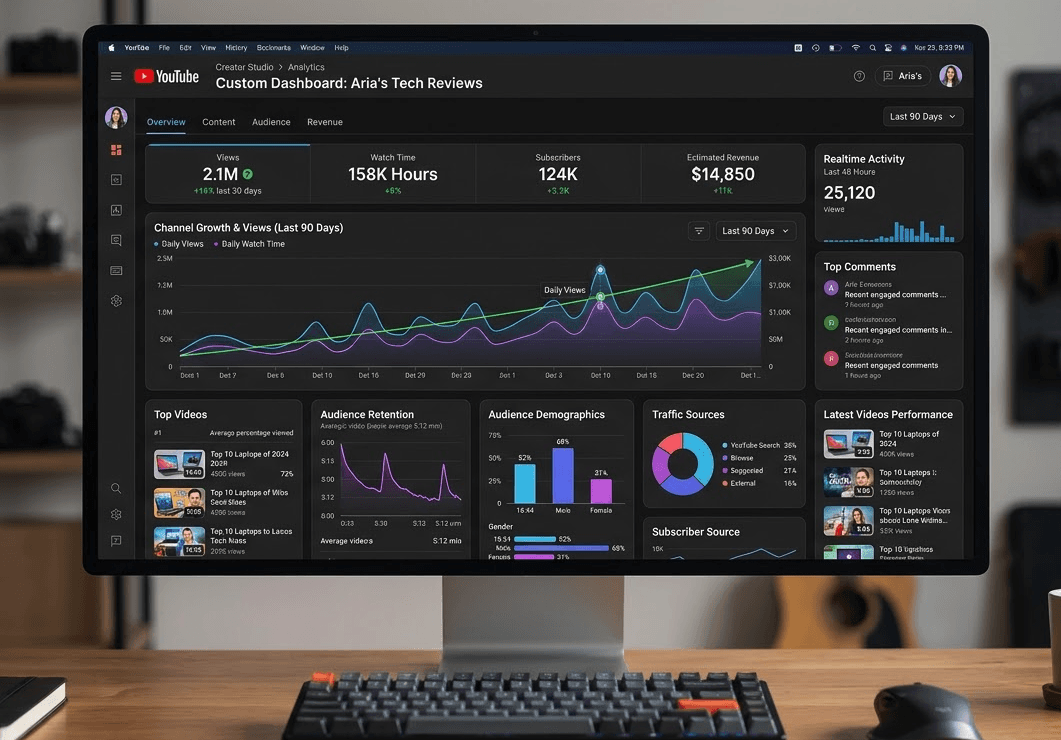
Off-the-shelf YouTube tools work fine until they don't. Maybe you want a dashboard that shows exactly what you care about. Maybe you're building something for clients. Maybe you want to combine YouTube data with other sources in ways no existing tool supports. Or maybe you just want to own your workflow instead of renting it.
Building your own YouTube analytics tool sounds intimidating, but in 2026 the hard parts are already solved. YouTube's official Data API gives you access to public video and channel information. TubeLab's API gives you the parts YouTube doesn't: outlier discovery across 4 million+ videos, channel search with 30+ filters, and AI-powered classifications that would take months to build yourself.
This guide shows you how to put them together. No CS degree required. If you can prompt your way through code with Claude or Cursor, you can build this. TubeLab even has an Agent Skill that lets AI write all the API calls for you.
Custom tools make sense when:
You want specific data combinations.
Existing tools show what their designers thought you'd want. Your own tool shows exactly what you need. Want a dashboard that combines outlier data with your own upload schedule and revenue tracking? You can build that.
You're serving clients.
Agencies often need white-label solutions. Building on TubeLab's API lets you create client-facing dashboards with your branding, your data views, and your workflow built in.
You're adding YouTube features to something else.
Maybe you're building a content planning app, a creator CRM, or a niche research platform. Plugging in YouTube data makes your product more valuable without building the data infrastructure yourself.
You want automation that doesn't exist.
Tools like n8n let you connect APIs into custom workflows. Want a weekly report analyzing your competitors' viral videos with AI-generated content ideas sent to Discord? TubeLab has a pre-built n8n template for exactly that.
You learn by building.
Sometimes the point is the process. Building your own tool teaches you how YouTube data works at a level that using someone else's interface never will.
YouTube's Data API is free (with quota limits) and gives you access to public information about videos, channels, and playlists.
For any public video, you can retrieve:
Quota cost: 1 unit per request
For any public channel, you can retrieve:
Quota cost: 1 unit per request
You can search YouTube for videos, channels, or playlists matching:
Quota cost: 100 units per request. Max 500 results (50 per page, 10 pages max).
YouTube gives you 10,000 quota units per day for free. Here's what that means in practice:
Action | Cost | Daily Limit |
|---|---|---|
Get video details | 1 unit | 10,000 videos |
Get channel details | 1 unit | 10,000 channels |
Search query | 100 units | 100 searches |
Upload a video | 100 units | 100 uploads |
For most personal tools, 10,000 units is plenty. If you need more, you can request a quota increase through Google Cloud Console.
Here's where YouTube's API falls short for research and analytics:
No outlier detection.
The API tells you a video has 500,000 views. It doesn't tell you whether that's normal for that channel or 50x their average. You'd need to pull every video from the channel, calculate historical averages, then compare. For one channel that's tedious. For thousands, it's a full-time infrastructure project.
No bulk channel discovery with useful filters.
You can search for channels by keyword, but you cannot filter by:
Finding "all monetized channels in the finance niche with 10K-100K subscribers that upload weekly" is impossible with the official API.
No niche-level analytics.
What's the average RPM in a niche? How saturated is a category? Which formats are trending? The API gives you raw data about individual videos and channels. Turning that into niche intelligence means processing millions of data points yourself.
No historical tracking.
The API shows current stats only. If you want to track how a channel's subscriber count changed over time, you need to store snapshots yourself and build the comparison logic.
No cross-channel analysis.
You can get data about one channel at a time. Comparing performance across hundreds of channels in a niche requires building your own aggregation layer.
No AI classifications.
Is this channel faceless? Is the content high-quality or low-effort? The API gives you raw metadata. Any classification requires your own ML pipeline.
The official API is a foundation, not a complete solution. It gives you building blocks but not the assembled product.
TubeLab maintains a database of 400,000+ channels and 4 million+ outlier videos, updated daily. Their API gives you access to this processed data through simple REST endpoints.
Base URL: https://tubelab.net/developers
Authentication: Authorization: Api-Key <your-key>
Rate limit: 10 requests per minute
Search for videos that outperformed their channel's average. This is the data that would take months to build yourself.
Key filters you can apply:
Filter | What it does |
|---|---|
query | Semantic or keyword search |
type | video or short |
averageViewsRatioFrom/To | Outlier score (2 = 2x channel average) |
viewCountFrom/To | Filter by view count range |
subscribersCountFrom/To | Filter by channel size |
publishedAtFrom/To | Filter by upload date |
durationFrom/To | Filter by video length |
language | ISO language codes |
channelMonetizationAdsense | Only monetized channels |
classificationIsFaceless | AI-detected faceless content |
classificationQuality | AI quality rating (positive/neutral/negative) |
rpmEstimationFrom/To | Estimated RPM range |
revenueEstimationFrom/To | Estimated video revenue |
Search for channels with 30+ filters that YouTube's API doesn't support.
Key filters:
Filter | What it does |
|---|---|
query | Semantic or keyword search |
subscribersFrom/To | Subscriber count range |
averageViewsFrom/To | Average views per video |
avgViewsToSubscribersRatioFrom/To | Engagement ratio |
revenueMonthlyEstimationFrom/To | Estimated monthly revenue |
rpmEstimationFrom/To | Estimated RPM |
monetizationAdsense | Only monetized channels |
classificationIsFaceless | Faceless content |
classificationQuality | Content quality rating |
contentKind | video, short, long-form, short-form |
language | ISO language codes |
excludeNiche | Exclude keywords from results |
Several endpoints cost nothing:
Endpoint | What it returns |
|---|---|
GET /channel/videos/{id} | All videos from a channel with metrics |
GET /channel/shorts/{id} | All shorts from a channel |
GET /video/{id} | Full video details |
GET /video/transcript/{id} | Complete transcript with timestamps |
GET /video/comments/{id} | Last 100 comments |
GET /scan/{id} | Check scan status |
The transcript endpoint is particularly useful. Getting transcripts through YouTube's API requires OAuth and only works for your own videos. TubeLab gives you any public video's transcript for free.
Start a scan to discover new channels and outliers in any niche. Scans run in the background and can find up to 2,500 outliers and 250 channels.
Scan modes:
Mode | Outliers | Channels | Cost | Time |
|---|---|---|---|---|
Fast | 1,000 | 100 | 50 credits | 30 min - 2 hours |
Standard | 2,500 | 250 | 100 credits | 2-4 hours |
TubeLab's API is designed for different comfort levels. Pick the approach that matches how you work.
If you use Claude, ChatGPT, Cursor, or any AI coding assistant, you can give it full knowledge of TubeLab's API with a single file.
How it works:
Paste this URL into your AI conversation: https://tubelab.net/docs/skill.md
Ask in natural language: "Find cooking channels with 10k-100k subscribers that are monetized"
The AI generates the correct curl command and interprets the results
Example prompts that work:
The skill file includes all endpoint documentation, parameter tables, response shapes, and jq recipes for parsing results. Your AI becomes a TubeLab expert.
For Claude Code specifically, download the skill and reference it:
curl -o SKILL.md https://tubelab.net/docs/skill.md
Then in your CLAUDE.md: "See SKILL.md for TubeLab API usage."
n8n is a workflow automation tool with a visual interface. TubeLab has an official n8n node that handles authentication and provides dropdown menus for all endpoints.
Setup:
Pre-built template: YouTube Trends Tracker
TubeLab provides a complete workflow that:
Import it from: http://tubelab.ai/docs/youtube-trends-tracker.json
Other workflow ideas:
For custom applications, call the REST API directly with any language.
The two APIs complement each other. Here's a typical workflow:
Discovery (TubeLab): Find outliers or channels matching your criteria. You get video IDs and channel IDs that meet your filters.
# Find viral videos in your niche
curl -s "https://public-api.tubelab.net/v1/search/outliers?query=productivity&averageViewsRatioFrom=3&type=video" \
-H "Authorization: Api-Key $TUBELAB_API_KEY"
Details (YouTube): Get additional information about specific videos. Full descriptions, all tags, exact thumbnails.
# Get full details for a specific video
curl "https://www.googleapis.com/youtube/v3/videos?part=snippet,statistics,contentDetails&id=VIDEO_ID&key=YOUR_YOUTUBE_KEY"
Enrichment (TubeLab): Get transcripts and comments for content analysis.
# Get transcript for AI analysis
curl -s "https://public-api.tubelab.net/v1/video/transcript/VIDEO_ID" \
-H "Authorization: Api-Key $TUBELAB_API_KEY"
Your logic: Combine everything. Calculate custom metrics. Display it how you want. Store what matters.
This separation makes sense. TubeLab handles the expensive work (finding needles in haystacks across millions of videos, calculating outlier scores, running AI classifications). YouTube's API handles the cheap work (getting raw details about specific videos you've already identified). Your code handles the custom work (presenting it your way).
What it does: A private dashboard showing outliers in niches you're researching, with saved videos for reference and AI-powered analysis.
Stack: React frontend, serverless functions (Vercel), SQLite for local storage
Data flow:
Features to add later:
Time estimate: A weekend if you're comfortable with React. Two weekends if you're learning. Use the Agent Skill to generate all API integration code without reading documentation.
What it does: Each client logs in and sees YouTube analytics for their niche and competitors. Your branding, your interface, powered by TubeLab data.
Stack: Next.js, Postgres, Auth0 for authentication
Data flow:
1. Admin configures client: their channel ID, competitor channels, target niche keywords
2. Daily cron job runs for each client:
3. Client dashboard shows:
4. Weekly email summary with charts and recommendations
Monetization math:
Why clients pay: They can't get this data anywhere else. Social Blade shows subscriber counts. VidIQ shows keywords. Your tool shows which competitor videos are actually outperforming and why. That's actionable intelligence worth paying for.
Time estimate: 2-4 weeks for a polished MVP. Ongoing iteration based on client feedback.
What it does: Your existing content planning app now shows "trending in your niche" suggestions.
Integration:
Value add: Users now have data-driven content ideas built into their planning workflow.
What it does: Weekly report analyzing your niche, delivered to Discord/Slack/email. No code, no manual research, no forgetting to check competitors.
Workflow steps:
1. Schedule trigger: Every Monday at 9am
2. TubeLab node: Search outliers in your niche from last 7 days, filter to 2x+ outlier ratio and monetized channels only
3. TubeLab node: Get transcripts for top 5 performing videos
4. OpenAI node: Analyze transcripts to extract:
5. OpenAI node: Generate 10 content ideas based on the patterns, customized to your channel's style
6. Discord/Slack webhook: Send formatted report with sections for trends, analysis, and ideas
Sample output:
📊 Weekly Trends Report: Personal Finance
🔥 Top Performing Videos This Week:
1. "I Tracked Every Dollar for 365 Days" - 2.3M views (15x avg)
2. "The 3-Account System That Changed My Life" - 890K views (8x avg)
...
📝 Title Patterns Working Right Now:
- "I [action] for [time period]" format
- Specific numbers in titles
- "Changed my life" or transformation hooks
💡 Content Ideas For You:
1. "I Automated My Savings for 6 Months - Here's What Happened"
2. "The 2-Hour Weekly Money Routine That Built My Emergency Fund"
...
Why this beats manual research: You'd spend 3-4 hours doing this yourself. Finding outliers, watching videos, taking notes, synthesizing patterns. The workflow runs automatically and gets smarter as you tune the prompts.
Time estimate: 1-2 hours using TubeLab's pre-built template as a starting point. Import the template, swap in your niche keywords and channel context, connect your Discord webhook. Done.
YouTube Data API:
Test YouTube:
curl "https://www.googleapis.com/youtube/v3/videos?part=statistics&id=dQw4w9WgXcQ&key=YOUR_KEY"
Test TubeLab:
curl -s "https://public-api.tubelab.net/v1/search/outliers?query=minecraft&size=5" \
-H "Authorization: Api-Key YOUR_KEY"
Both should return JSON. If they work, you're ready.
If you want... | Use... |
|---|---|
Fastest path, minimal code | Agent Skill with Claude/Cursor |
Visual workflows, no code | n8n with TubeLab node |
Full custom application | Direct REST API calls |
All of the above | Start with Agent Skill, graduate to direct API |
Start with the smallest useful version:
Once the core works:
Clarity on what you're avoiding:
You're not building a data pipeline.
TubeLab maintains the database of 4 million+ outliers and 400K+ channels. You're querying it, not replicating it.
You're not calculating outlier scores.
Determining whether a video outperformed its channel average requires historical data for every channel. TubeLab already did that math.
You're not training ML models.
Faceless detection, quality classification, niche categorization. TubeLab's AI classifications are included in the response.
You're not building a scraper.
No browser automation, no proxy management, no rate limit handling. Clean REST endpoints with JSON responses.
This division of labor is why building your own tool is now practical. Five years ago, you'd need to build everything yourself. Now you can focus on the parts unique to your needs.
What you need | YouTube API | TubeLab API |
|---|---|---|
Video metadata | Free (10K quota/day) | Free |
Channel metadata | Free (10K quota/day) | Free |
Search | Free (100 units each) | 5-10 credits |
Outlier detection | Not available | Included |
Channel filtering by subs/revenue/etc | Not available | Included |
Transcripts | Only your own videos | Any public video (free) |
AI classifications | Not available | Included |
TubeLab costs $178.80/year. That includes the web platform, API access, and monthly credits. Additional credits available if needed.
For the functionality you get, building this yourself would cost:
Not in the traditional sense. If you can prompt AI to write code, test it, and fix errors with more prompts, you can build a working tool. The Agent Skill makes this even easier since the AI already knows all the endpoints. People with zero coding background have built functional dashboards by describing what they want to Claude or Cursor and iterating on the output.
10 requests per minute per API key. For most tools, this is plenty. A personal dashboard making a few searches per session won't come close. Even an agency tool with 50 clients running daily updates uses maybe 100-200 requests per day total. Cached responses (same request within a short window) don't count against credits.
Check their terms for specifics. Building client dashboards and internal agency tools is standard usage. The key distinction: you're selling your interface, your workflow, your insights. Not reselling raw API access as if it were your own data product.
Updated daily. The outlier database includes videos from roughly the last 30-90 days depending on performance thresholds. For trend research and content planning, daily updates are more than sufficient. You're looking for patterns, not minute-by-minute stats.
Call YouTube's API directly for specific videos. TubeLab is for discovery and analysis; YouTube's API is for current stats on known videos. A typical flow: discover interesting videos via TubeLab, then fetch current stats from YouTube for the ones you're actively tracking.
Yes. Your mobile app calls your backend, which calls the APIs. The architecture is identical to a web app. React Native, Flutter, or native iOS/Android all work fine. The APIs don't care what's calling them.
TubeLab supports webhooks for scan status updates. When you start a scan, you can register a webhook URL. When the scan status changes (Queued → Running → Completed), TubeLab sends a POST to your endpoint. This is how the n8n workflows know when to fetch results without polling.
TubeLab returns standard HTTP status codes with JSON error bodies:
Build retry logic with exponential backoff for 429 errors. For 402, check your credit balance and top up if needed.
Absolutely. That's the recommended approach. Use TubeLab to discover videos matching your criteria (outliers with specific filters). Then use YouTube's API to fetch additional details like full descriptions and all tags. Each API is optimized for different tasks.
Any language that can make HTTP requests. The APIs are RESTful and return JSON. Python, JavaScript, Go, Ruby, PHP, Rust, whatever you're comfortable with. The examples in this guide use JavaScript and Python, but curl works for testing and bash scripts work for simple automation.
The gap between "I wish I had a tool that did X" and actually having that tool has never been smaller. YouTube's API gives you raw access to public data. TubeLab's API gives you the processed intelligence (outliers, channel search, AI classifications, transcripts) that would take months to build yourself.
Pick your path:
Your custom tool might be a personal dashboard you check every morning. It might be a white-label product for agency clients. It might be a single automated workflow that sends you weekly insights. Whatever it is, you can build it.
Start with the smallest useful version. Get data flowing. See it on screen. Then make it better.
TubeLab runs $178.80/year with API access included. You also get the full web platform with outlier finder, niche finder, and 400K+ channel database. The API lets you build on top of that data however you want.
Off-the-shelf YouTube tools work fine until they don't. Maybe you want a dashboard that shows exactly what you care about. Maybe you're building something for clients. Maybe you want to combine YouTube data with other sources in ways no existing tool supports. Or maybe you just want to own your workflow instead of renting it.
Building your own YouTube analytics tool sounds intimidating, but in 2026 the hard parts are already solved. YouTube's official Data API gives you access to public video and channel information. TubeLab's API gives you the parts YouTube doesn't: outlier discovery across 4 million+ videos, channel search with 30+ filters, and AI-powered classifications that would take months to build yourself.
This guide shows you how to put them together. No CS degree required. If you can prompt your way through code with Claude or Cursor, you can build this. TubeLab even has an Agent Skill that lets AI write all the API calls for you.
Custom tools make sense when:
You want specific data combinations.
Existing tools show what their designers thought you'd want. Your own tool shows exactly what you need. Want a dashboard that combines outlier data with your own upload schedule and revenue tracking? You can build that.
You're serving clients.
Agencies often need white-label solutions. Building on TubeLab's API lets you create client-facing dashboards with your branding, your data views, and your workflow built in.
You're adding YouTube features to something else.
Maybe you're building a content planning app, a creator CRM, or a niche research platform. Plugging in YouTube data makes your product more valuable without building the data infrastructure yourself.
You want automation that doesn't exist.
Tools like n8n let you connect APIs into custom workflows. Want a weekly report analyzing your competitors' viral videos with AI-generated content ideas sent to Discord? TubeLab has a pre-built n8n template for exactly that.
You learn by building.
Sometimes the point is the process. Building your own tool teaches you how YouTube data works at a level that using someone else's interface never will.
YouTube's Data API is free (with quota limits) and gives you access to public information about videos, channels, and playlists.
For any public video, you can retrieve:
Quota cost: 1 unit per request
For any public channel, you can retrieve:
Quota cost: 1 unit per request
You can search YouTube for videos, channels, or playlists matching:
Quota cost: 100 units per request. Max 500 results (50 per page, 10 pages max).
YouTube gives you 10,000 quota units per day for free. Here's what that means in practice:
Action | Cost | Daily Limit |
|---|---|---|
Get video details | 1 unit | 10,000 videos |
Get channel details | 1 unit | 10,000 channels |
Search query | 100 units | 100 searches |
Upload a video | 100 units | 100 uploads |
For most personal tools, 10,000 units is plenty. If you need more, you can request a quota increase through Google Cloud Console.
Here's where YouTube's API falls short for research and analytics:
No outlier detection.
The API tells you a video has 500,000 views. It doesn't tell you whether that's normal for that channel or 50x their average. You'd need to pull every video from the channel, calculate historical averages, then compare. For one channel that's tedious. For thousands, it's a full-time infrastructure project.
No bulk channel discovery with useful filters.
You can search for channels by keyword, but you cannot filter by:
Finding "all monetized channels in the finance niche with 10K-100K subscribers that upload weekly" is impossible with the official API.
No niche-level analytics.
What's the average RPM in a niche? How saturated is a category? Which formats are trending? The API gives you raw data about individual videos and channels. Turning that into niche intelligence means processing millions of data points yourself.
No historical tracking.
The API shows current stats only. If you want to track how a channel's subscriber count changed over time, you need to store snapshots yourself and build the comparison logic.
No cross-channel analysis.
You can get data about one channel at a time. Comparing performance across hundreds of channels in a niche requires building your own aggregation layer.
No AI classifications.
Is this channel faceless? Is the content high-quality or low-effort? The API gives you raw metadata. Any classification requires your own ML pipeline.
The official API is a foundation, not a complete solution. It gives you building blocks but not the assembled product.
TubeLab maintains a database of 400,000+ channels and 4 million+ outlier videos, updated daily. Their API gives you access to this processed data through simple REST endpoints.
Base URL: https://tubelab.net/developers
Authentication: Authorization: Api-Key <your-key>
Rate limit: 10 requests per minute
Search for videos that outperformed their channel's average. This is the data that would take months to build yourself.
Key filters you can apply:
Filter | What it does |
|---|---|
query | Semantic or keyword search |
type | video or short |
averageViewsRatioFrom/To | Outlier score (2 = 2x channel average) |
viewCountFrom/To | Filter by view count range |
subscribersCountFrom/To | Filter by channel size |
publishedAtFrom/To | Filter by upload date |
durationFrom/To | Filter by video length |
language | ISO language codes |
channelMonetizationAdsense | Only monetized channels |
classificationIsFaceless | AI-detected faceless content |
classificationQuality | AI quality rating (positive/neutral/negative) |
rpmEstimationFrom/To | Estimated RPM range |
revenueEstimationFrom/To | Estimated video revenue |
Search for channels with 30+ filters that YouTube's API doesn't support.
Key filters:
Filter | What it does |
|---|---|
query | Semantic or keyword search |
subscribersFrom/To | Subscriber count range |
averageViewsFrom/To | Average views per video |
avgViewsToSubscribersRatioFrom/To | Engagement ratio |
revenueMonthlyEstimationFrom/To | Estimated monthly revenue |
rpmEstimationFrom/To | Estimated RPM |
monetizationAdsense | Only monetized channels |
classificationIsFaceless | Faceless content |
classificationQuality | Content quality rating |
contentKind | video, short, long-form, short-form |
language | ISO language codes |
excludeNiche | Exclude keywords from results |
Several endpoints cost nothing:
Endpoint | What it returns |
|---|---|
GET /channel/videos/{id} | All videos from a channel with metrics |
GET /channel/shorts/{id} | All shorts from a channel |
GET /video/{id} | Full video details |
GET /video/transcript/{id} | Complete transcript with timestamps |
GET /video/comments/{id} | Last 100 comments |
GET /scan/{id} | Check scan status |
The transcript endpoint is particularly useful. Getting transcripts through YouTube's API requires OAuth and only works for your own videos. TubeLab gives you any public video's transcript for free.
Start a scan to discover new channels and outliers in any niche. Scans run in the background and can find up to 2,500 outliers and 250 channels.
Scan modes:
Mode | Outliers | Channels | Cost | Time |
|---|---|---|---|---|
Fast | 1,000 | 100 | 50 credits | 30 min - 2 hours |
Standard | 2,500 | 250 | 100 credits | 2-4 hours |
TubeLab's API is designed for different comfort levels. Pick the approach that matches how you work.
If you use Claude, ChatGPT, Cursor, or any AI coding assistant, you can give it full knowledge of TubeLab's API with a single file.
How it works:
Paste this URL into your AI conversation: https://tubelab.net/docs/skill.md
Ask in natural language: "Find cooking channels with 10k-100k subscribers that are monetized"
The AI generates the correct curl command and interprets the results
Example prompts that work:
The skill file includes all endpoint documentation, parameter tables, response shapes, and jq recipes for parsing results. Your AI becomes a TubeLab expert.
For Claude Code specifically, download the skill and reference it:
curl -o SKILL.md https://tubelab.net/docs/skill.md
Then in your CLAUDE.md: "See SKILL.md for TubeLab API usage."
n8n is a workflow automation tool with a visual interface. TubeLab has an official n8n node that handles authentication and provides dropdown menus for all endpoints.
Setup:
Pre-built template: YouTube Trends Tracker
TubeLab provides a complete workflow that:
Import it from: http://tubelab.ai/docs/youtube-trends-tracker.json
Other workflow ideas:
For custom applications, call the REST API directly with any language.
The two APIs complement each other. Here's a typical workflow:
Discovery (TubeLab): Find outliers or channels matching your criteria. You get video IDs and channel IDs that meet your filters.
# Find viral videos in your niche
curl -s "https://public-api.tubelab.net/v1/search/outliers?query=productivity&averageViewsRatioFrom=3&type=video" \
-H "Authorization: Api-Key $TUBELAB_API_KEY"
Details (YouTube): Get additional information about specific videos. Full descriptions, all tags, exact thumbnails.
# Get full details for a specific video
curl "https://www.googleapis.com/youtube/v3/videos?part=snippet,statistics,contentDetails&id=VIDEO_ID&key=YOUR_YOUTUBE_KEY"
Enrichment (TubeLab): Get transcripts and comments for content analysis.
# Get transcript for AI analysis
curl -s "https://public-api.tubelab.net/v1/video/transcript/VIDEO_ID" \
-H "Authorization: Api-Key $TUBELAB_API_KEY"
Your logic: Combine everything. Calculate custom metrics. Display it how you want. Store what matters.
This separation makes sense. TubeLab handles the expensive work (finding needles in haystacks across millions of videos, calculating outlier scores, running AI classifications). YouTube's API handles the cheap work (getting raw details about specific videos you've already identified). Your code handles the custom work (presenting it your way).
What it does: A private dashboard showing outliers in niches you're researching, with saved videos for reference and AI-powered analysis.
Stack: React frontend, serverless functions (Vercel), SQLite for local storage
Data flow:
Features to add later:
Time estimate: A weekend if you're comfortable with React. Two weekends if you're learning. Use the Agent Skill to generate all API integration code without reading documentation.
What it does: Each client logs in and sees YouTube analytics for their niche and competitors. Your branding, your interface, powered by TubeLab data.
Stack: Next.js, Postgres, Auth0 for authentication
Data flow:
1. Admin configures client: their channel ID, competitor channels, target niche keywords
2. Daily cron job runs for each client:
3. Client dashboard shows:
4. Weekly email summary with charts and recommendations
Monetization math:
Why clients pay: They can't get this data anywhere else. Social Blade shows subscriber counts. VidIQ shows keywords. Your tool shows which competitor videos are actually outperforming and why. That's actionable intelligence worth paying for.
Time estimate: 2-4 weeks for a polished MVP. Ongoing iteration based on client feedback.
What it does: Your existing content planning app now shows "trending in your niche" suggestions.
Integration:
Value add: Users now have data-driven content ideas built into their planning workflow.
What it does: Weekly report analyzing your niche, delivered to Discord/Slack/email. No code, no manual research, no forgetting to check competitors.
Workflow steps:
1. Schedule trigger: Every Monday at 9am
2. TubeLab node: Search outliers in your niche from last 7 days, filter to 2x+ outlier ratio and monetized channels only
3. TubeLab node: Get transcripts for top 5 performing videos
4. OpenAI node: Analyze transcripts to extract:
5. OpenAI node: Generate 10 content ideas based on the patterns, customized to your channel's style
6. Discord/Slack webhook: Send formatted report with sections for trends, analysis, and ideas
Sample output:
📊 Weekly Trends Report: Personal Finance
🔥 Top Performing Videos This Week:
1. "I Tracked Every Dollar for 365 Days" - 2.3M views (15x avg)
2. "The 3-Account System That Changed My Life" - 890K views (8x avg)
...
📝 Title Patterns Working Right Now:
- "I [action] for [time period]" format
- Specific numbers in titles
- "Changed my life" or transformation hooks
💡 Content Ideas For You:
1. "I Automated My Savings for 6 Months - Here's What Happened"
2. "The 2-Hour Weekly Money Routine That Built My Emergency Fund"
...
Why this beats manual research: You'd spend 3-4 hours doing this yourself. Finding outliers, watching videos, taking notes, synthesizing patterns. The workflow runs automatically and gets smarter as you tune the prompts.
Time estimate: 1-2 hours using TubeLab's pre-built template as a starting point. Import the template, swap in your niche keywords and channel context, connect your Discord webhook. Done.
YouTube Data API:
Test YouTube:
curl "https://www.googleapis.com/youtube/v3/videos?part=statistics&id=dQw4w9WgXcQ&key=YOUR_KEY"
Test TubeLab:
curl -s "https://public-api.tubelab.net/v1/search/outliers?query=minecraft&size=5" \
-H "Authorization: Api-Key YOUR_KEY"
Both should return JSON. If they work, you're ready.
If you want... | Use... |
|---|---|
Fastest path, minimal code | Agent Skill with Claude/Cursor |
Visual workflows, no code | n8n with TubeLab node |
Full custom application | Direct REST API calls |
All of the above | Start with Agent Skill, graduate to direct API |
Start with the smallest useful version:
Once the core works:
Clarity on what you're avoiding:
You're not building a data pipeline.
TubeLab maintains the database of 4 million+ outliers and 400K+ channels. You're querying it, not replicating it.
You're not calculating outlier scores.
Determining whether a video outperformed its channel average requires historical data for every channel. TubeLab already did that math.
You're not training ML models.
Faceless detection, quality classification, niche categorization. TubeLab's AI classifications are included in the response.
You're not building a scraper.
No browser automation, no proxy management, no rate limit handling. Clean REST endpoints with JSON responses.
This division of labor is why building your own tool is now practical. Five years ago, you'd need to build everything yourself. Now you can focus on the parts unique to your needs.
What you need | YouTube API | TubeLab API |
|---|---|---|
Video metadata | Free (10K quota/day) | Free |
Channel metadata | Free (10K quota/day) | Free |
Search | Free (100 units each) | 5-10 credits |
Outlier detection | Not available | Included |
Channel filtering by subs/revenue/etc | Not available | Included |
Transcripts | Only your own videos | Any public video (free) |
AI classifications | Not available | Included |
TubeLab costs $178.80/year. That includes the web platform, API access, and monthly credits. Additional credits available if needed.
For the functionality you get, building this yourself would cost:
Not in the traditional sense. If you can prompt AI to write code, test it, and fix errors with more prompts, you can build a working tool. The Agent Skill makes this even easier since the AI already knows all the endpoints. People with zero coding background have built functional dashboards by describing what they want to Claude or Cursor and iterating on the output.
10 requests per minute per API key. For most tools, this is plenty. A personal dashboard making a few searches per session won't come close. Even an agency tool with 50 clients running daily updates uses maybe 100-200 requests per day total. Cached responses (same request within a short window) don't count against credits.
Check their terms for specifics. Building client dashboards and internal agency tools is standard usage. The key distinction: you're selling your interface, your workflow, your insights. Not reselling raw API access as if it were your own data product.
Updated daily. The outlier database includes videos from roughly the last 30-90 days depending on performance thresholds. For trend research and content planning, daily updates are more than sufficient. You're looking for patterns, not minute-by-minute stats.
Call YouTube's API directly for specific videos. TubeLab is for discovery and analysis; YouTube's API is for current stats on known videos. A typical flow: discover interesting videos via TubeLab, then fetch current stats from YouTube for the ones you're actively tracking.
Yes. Your mobile app calls your backend, which calls the APIs. The architecture is identical to a web app. React Native, Flutter, or native iOS/Android all work fine. The APIs don't care what's calling them.
TubeLab supports webhooks for scan status updates. When you start a scan, you can register a webhook URL. When the scan status changes (Queued → Running → Completed), TubeLab sends a POST to your endpoint. This is how the n8n workflows know when to fetch results without polling.
TubeLab returns standard HTTP status codes with JSON error bodies:
Build retry logic with exponential backoff for 429 errors. For 402, check your credit balance and top up if needed.
Absolutely. That's the recommended approach. Use TubeLab to discover videos matching your criteria (outliers with specific filters). Then use YouTube's API to fetch additional details like full descriptions and all tags. Each API is optimized for different tasks.
Any language that can make HTTP requests. The APIs are RESTful and return JSON. Python, JavaScript, Go, Ruby, PHP, Rust, whatever you're comfortable with. The examples in this guide use JavaScript and Python, but curl works for testing and bash scripts work for simple automation.
The gap between "I wish I had a tool that did X" and actually having that tool has never been smaller. YouTube's API gives you raw access to public data. TubeLab's API gives you the processed intelligence (outliers, channel search, AI classifications, transcripts) that would take months to build yourself.
Pick your path:
Your custom tool might be a personal dashboard you check every morning. It might be a white-label product for agency clients. It might be a single automated workflow that sends you weekly insights. Whatever it is, you can build it.
Start with the smallest useful version. Get data flowing. See it on screen. Then make it better.
TubeLab runs $178.80/year with API access included. You also get the full web platform with outlier finder, niche finder, and 400K+ channel database. The API lets you build on top of that data however you want.